Availability Status in Threema Work
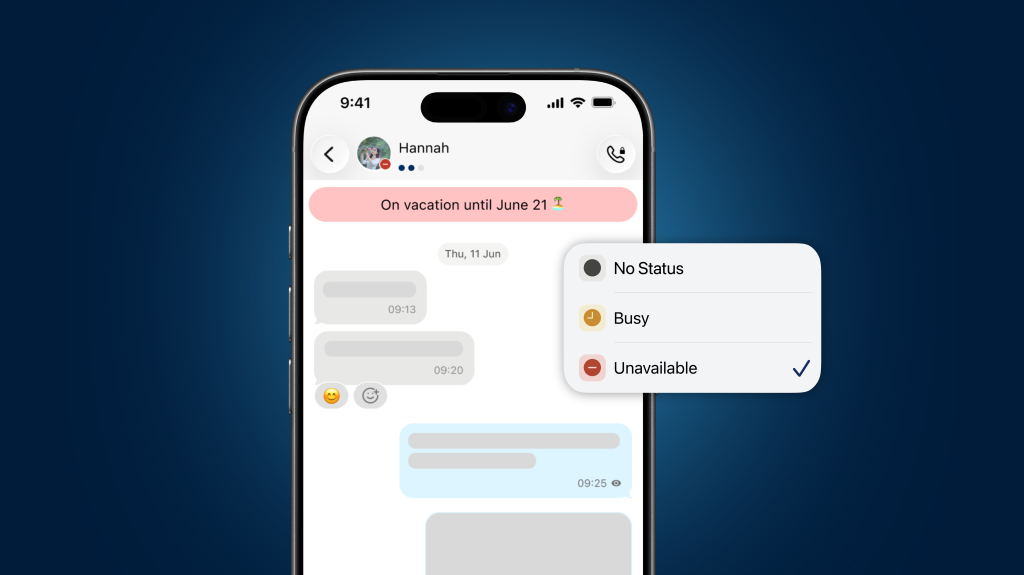
Do you need advice from a colleague but aren’t sure whether they’re available right now? Or would you like to set your out-of-office message directly in Threema Work? With the new availability status, you can see at a glance who’s available.
In day-to-day work, knowing whether someone is available is often crucial. However, many communication processes lack this transparency, leading to unnecessary waiting times, delayed responses, and inefficient workflows.
The availability status in Threema Work solves this problem by displaying availability directly in the chat. Employees can easily set their status to “Unavailable” or “Busy,” or create a custom status to signal whether they are available or prefer not to be disturbed.
You can easily set your availability status in the Profile tab under “Availability Status.” If “Busy” or “Unavailable” is selected, you can also enter your own text, which will be displayed instead of the default status.
The feature is available in Threema Work from version 6.4.3k for Android and 7.2.4k for iOS. Threema Work 2.0 for desktop (beta) also includes this feature starting with version 62. It makes team communication noticeably more efficient: colleagues can better judge the right time to reach out while respecting periods of focused work. The result is fewer interruptions, clearer expectations, and a more productive workday.







