Easier Tag Management in the Management Cockpit
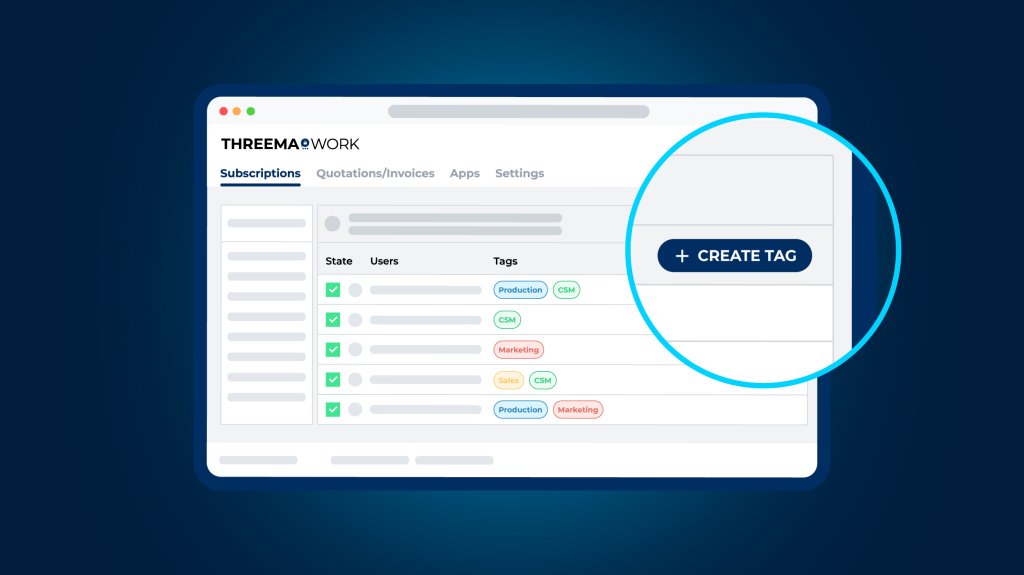
Are you already using tags in the management cockpit? If so, the latest update is for you, as it makes managing them much easier. If, however, you’re new to tags, here’s how they can help you organize groups and distribution lists more efficiently.
Tags allow you to categorize users and assign them to a department or location, for example. Based on these tags, groups and distribution lists can be created automatically in Threema Work’s management cockpit.
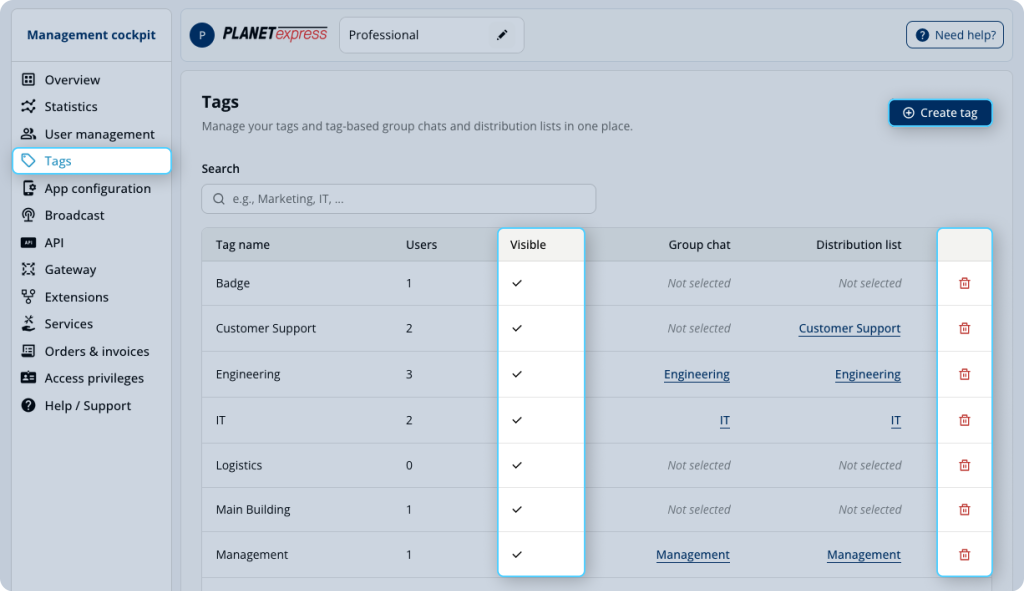
The latest update significantly simplifies tag management. The new Tags menu provides an overview of all existing tags, including a search feature. You can now also create new tags directly from this menu – previously, this was only possible from an individual user’s details view. Outdated tags can also be removed with just a few clicks.
In addition, tags can now be hidden from the company directory so they no longer appear in search results.
Create Group Chats and Distribution Lists More Easily
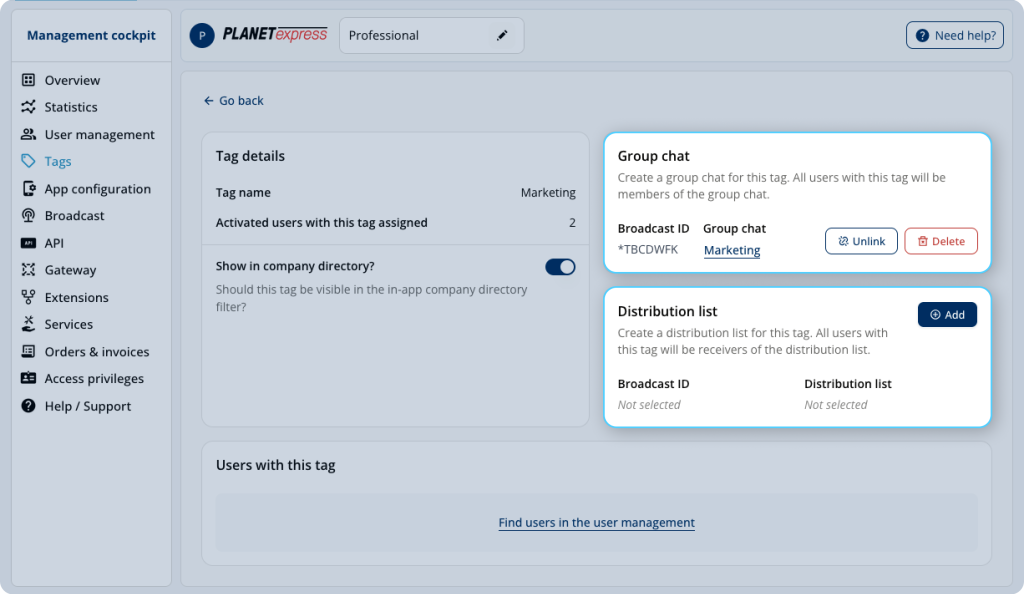
With tag-based groups and distribution lists, new employees no longer need to be added to each group or distribution list manually. Instead, they are included automatically as soon as the appropriate tag is assigned to them.
Creating these groups and distribution lists has also become more convenient. While it was already possible to create them based on tags, there was previously no global overview showing which tags already had associated groups or distribution lists.
This has now changed: selecting a tag in the new tag overview opens a detailed view where you can directly create a corresponding group or distribution list. All users assigned to that tag are added automatically.
Behind the scenes, the management cockpit has also received a technical upgrade. The new Tags menu is built on updated technology that will gradually modernize the dashboard and improve usability.
To take advantage of the new tag management, log in to your admin account, or try Threema Work for free for 30 days with no obligation.







