Increasing the number of users
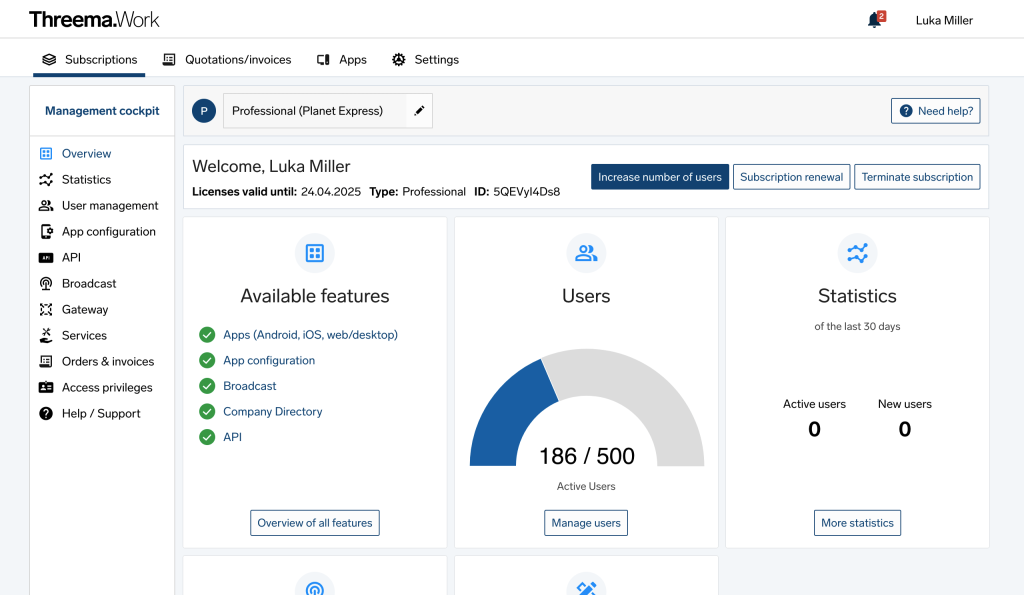
The management cockpit overview shows how many users are active (1), how many credentials are defined (17), and for how many users you have licensed Threema Work in total (350). In this example, the app can be activated on another 333 devices.
Add new users
First, make sure that the required number of credentials is available. Then, switch to the “Credentials” menu, and click on “Add/import credentials”.
To add multiple users at once, click again on “Add/imprt credentials.” In the window that appears, you can enter the credentials or upload a CSV file.
Multiple devices can be activated using the same credentials: Instructions
If all credentials are activated (i.e., the number of active users and the total number of credentials are the same), click on the “Increase number of users” button in order to purchase additional licenses for the remaining duration of the subscription.
Transfer license to a new user
See Managing staff or device changes.
Licensing more users
If you need more users than are currently licensed (350 in the example above), simply click on “Increase number of users”.







